Author: Eusebio Taba

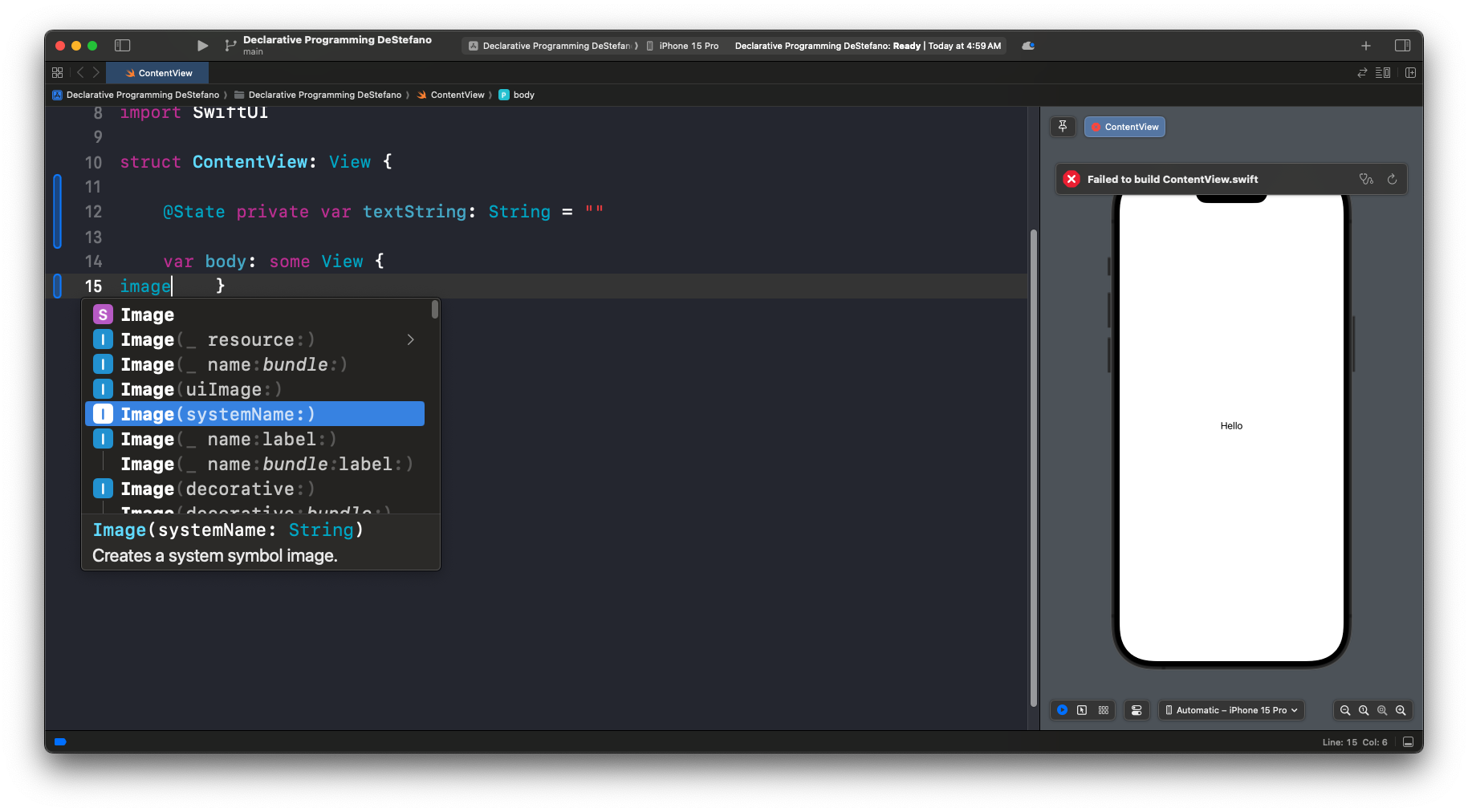
  • Image systemName

    Image systemName: “faceid”
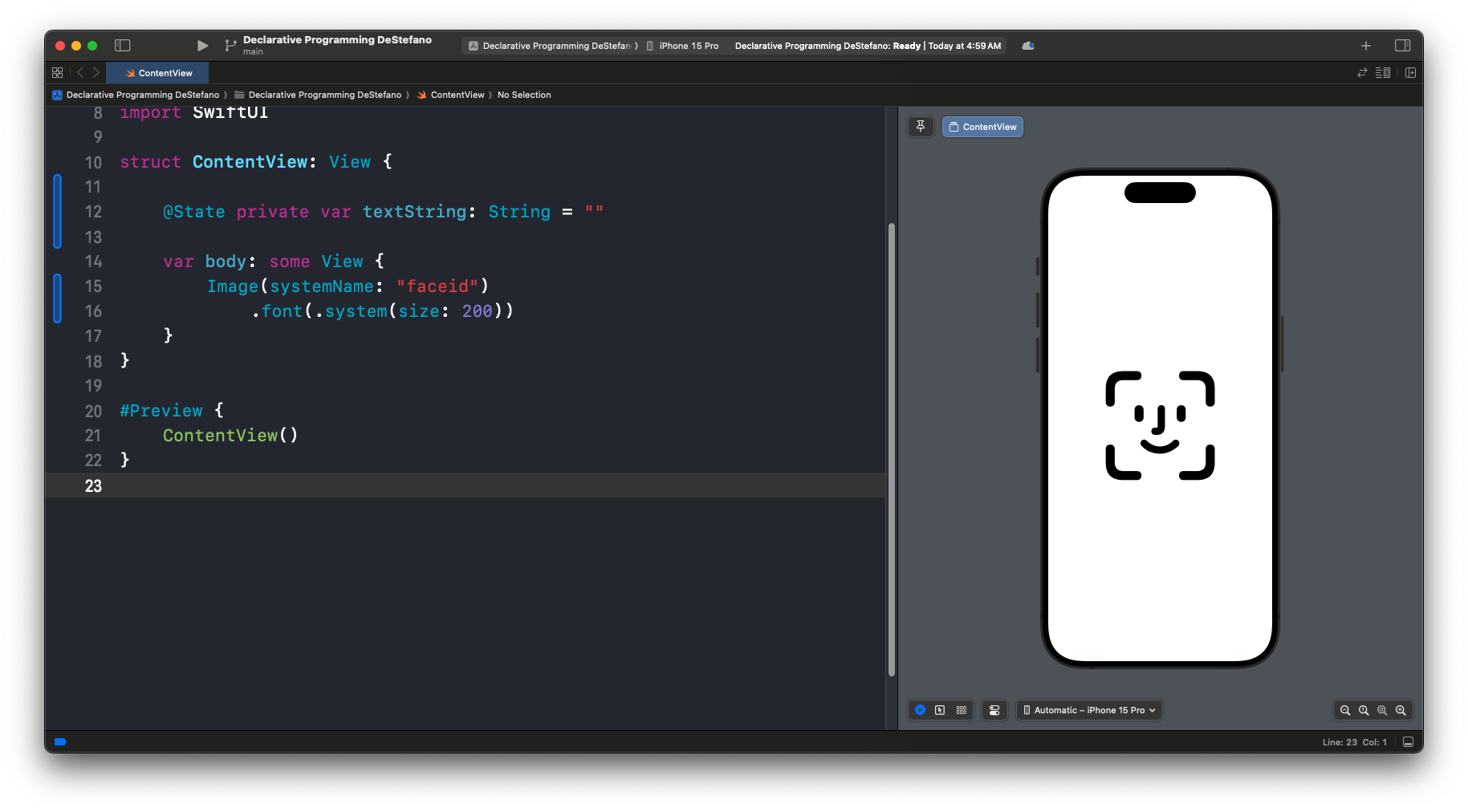
    import SwiftUI
    
    struct ContentView: View {
        
        @State private var textString: String = ""
        
        var body: some View {
            Image(systemName: "faceid")
                .font(.system(size: 200))
        }
    }
    
    #Preview {
        ContentView()
    }
    

    .font(.system(size: 200))

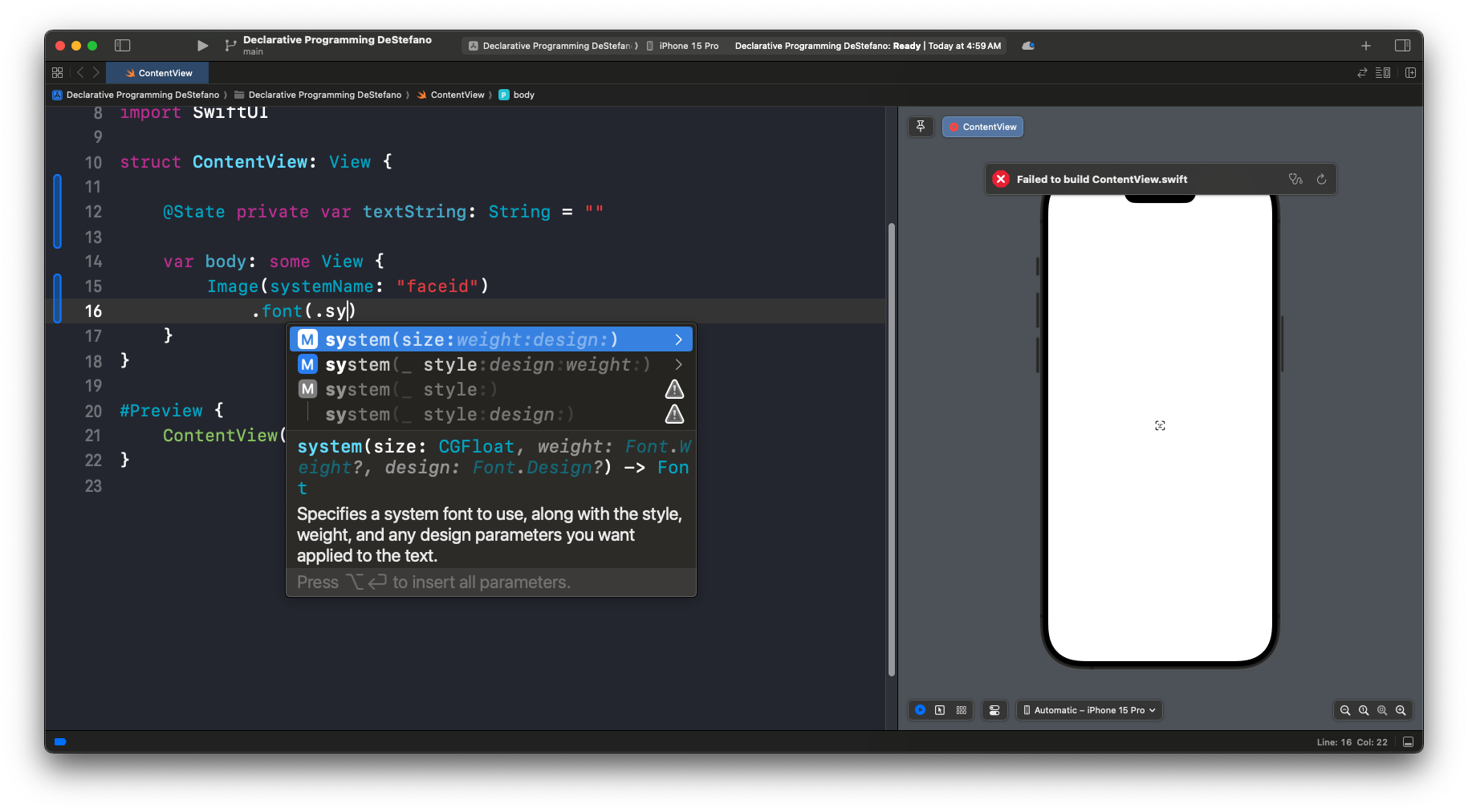
    Since .font(.sy is easy to type, let’s use autocomplete after that.

    .font(.sy
    .font(.system(size: 200))
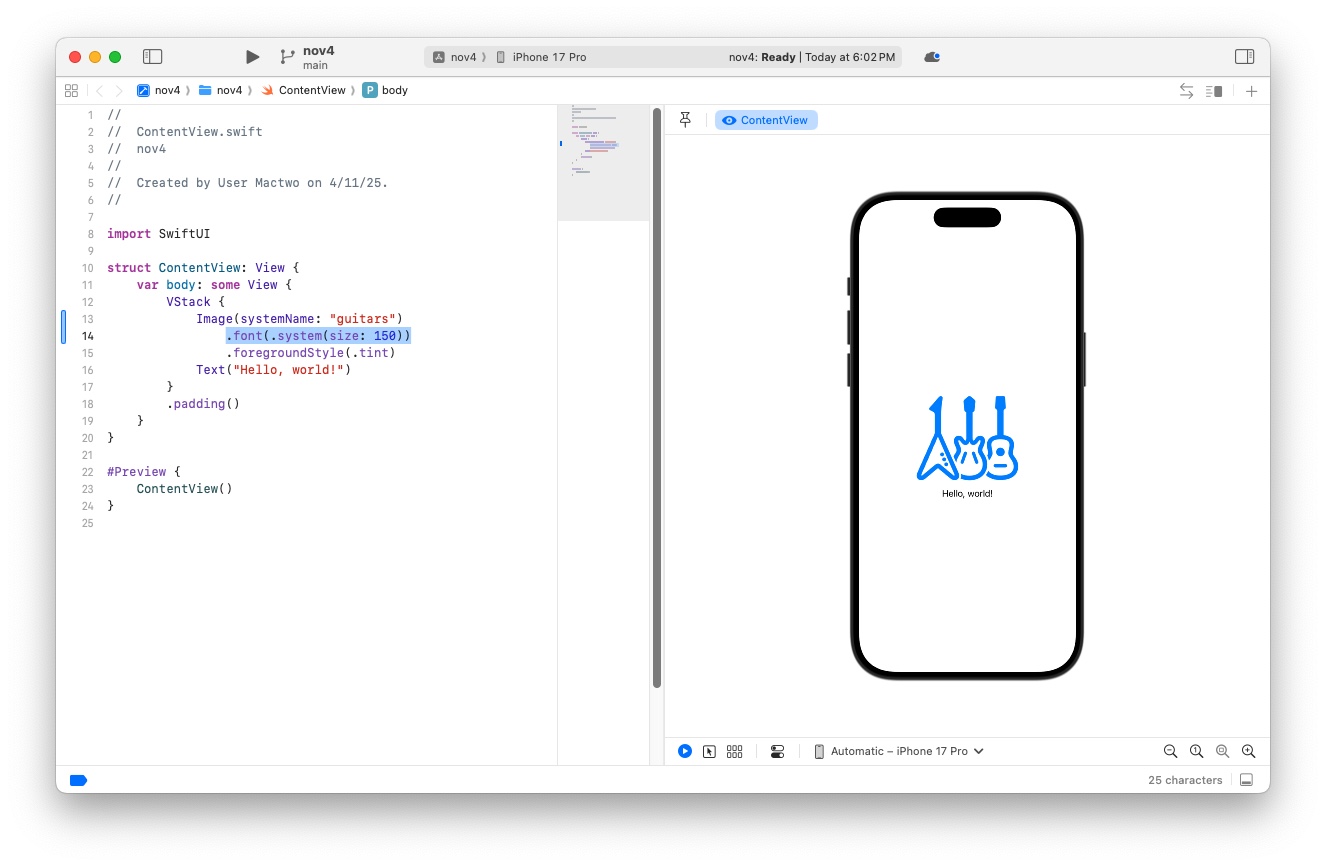
    Example with “Guitars”

    .font(.system(size: 150))
    Swift

    Additional font modifiers

    .font(.title)

    .font(.largeTitle)

    Two ways to change COLOR

    • foreground Style

    .foregroundStyle(.blue)

    • foreground Color


    .foregroundColor(Color.red)

    IMPORTANT: there is no “period” at the begening of the word “Color” inside the parenthesis.
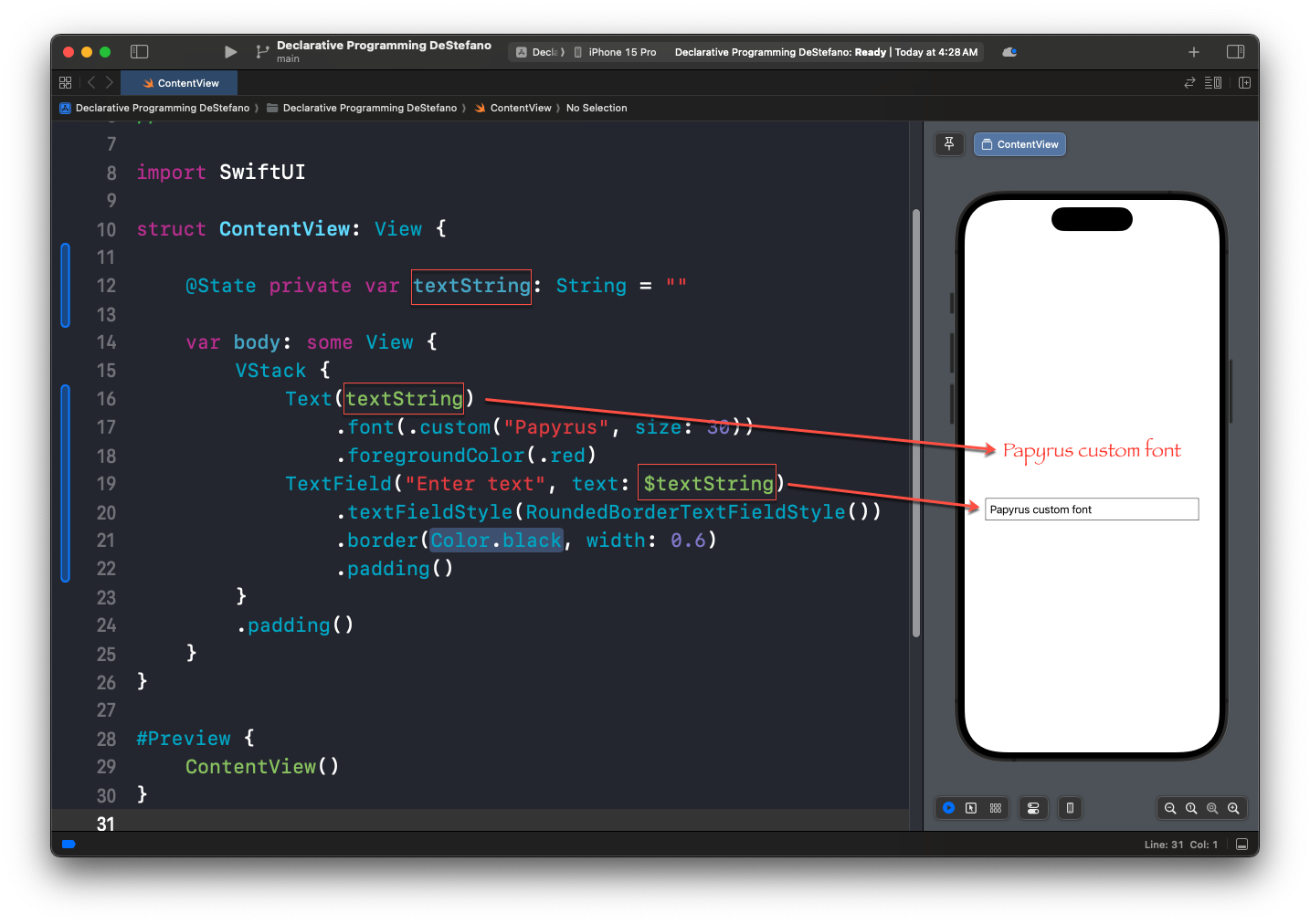
  • TextField (allows user to enter text)

    Grab the code

    import SwiftUI
    
    struct ContentView: View {
        
        @State private var textString: String = ""
        
        var body: some View {
            VStack {
                Text(textString)
                    .font(.custom("Papyrus", size: 30))
                    .foregroundColor(.red)
                TextField("Enter text", text: $textString)
                    .textFieldStyle(RoundedBorderTextFieldStyle())
                    .border(Color.black, width: 0.6)
                    .padding()
            }
            .padding()
        }
    }
    
    #Preview {
        ContentView()
    }
    
  • Swift is a type-safe language

    Similar types as in other languages

    • String
    • Int (integer, a whole)
    • Float (32 bits)
    • Double (64 bits)
    • Bool (boolean) = true or false
    • Color (special type for colors)
    • etc.